Event Instrumentation
Event instrumentation is how you capture player behavior data from your UE build in a structured, reusable way. Instead of relying on vague reports ("it felt unfair", "players got stuck"), you log the key moments of gameplay, what happened, who was involved, where, and when, with just enough context to debug and analyze later.
You'll use this reference whenever you want SimMind to understand your game "in context":
- Tracking what players did across a session (movement, interactions, combat, progression)
- Adding the right signals to reproduce issues faster
- Making captured sessions searchable and comparable across playtests
SimMind's Investigations will often point you back to this guide (e.g., "add these events next playtest"), but instrumentation is not just for investigations—it's the foundation for capturing reliable behavior signals.
Where to Find These Nodes
You can add SimMind nodes directly in Blueprint:
- Open the Blueprint graph
- Right-click to open the context menu
- Search by node name (e.g. "Trace: Event", "Capture: Start")
If you don't see them, make sure the SimMind plugin is enabled and restart the editor.
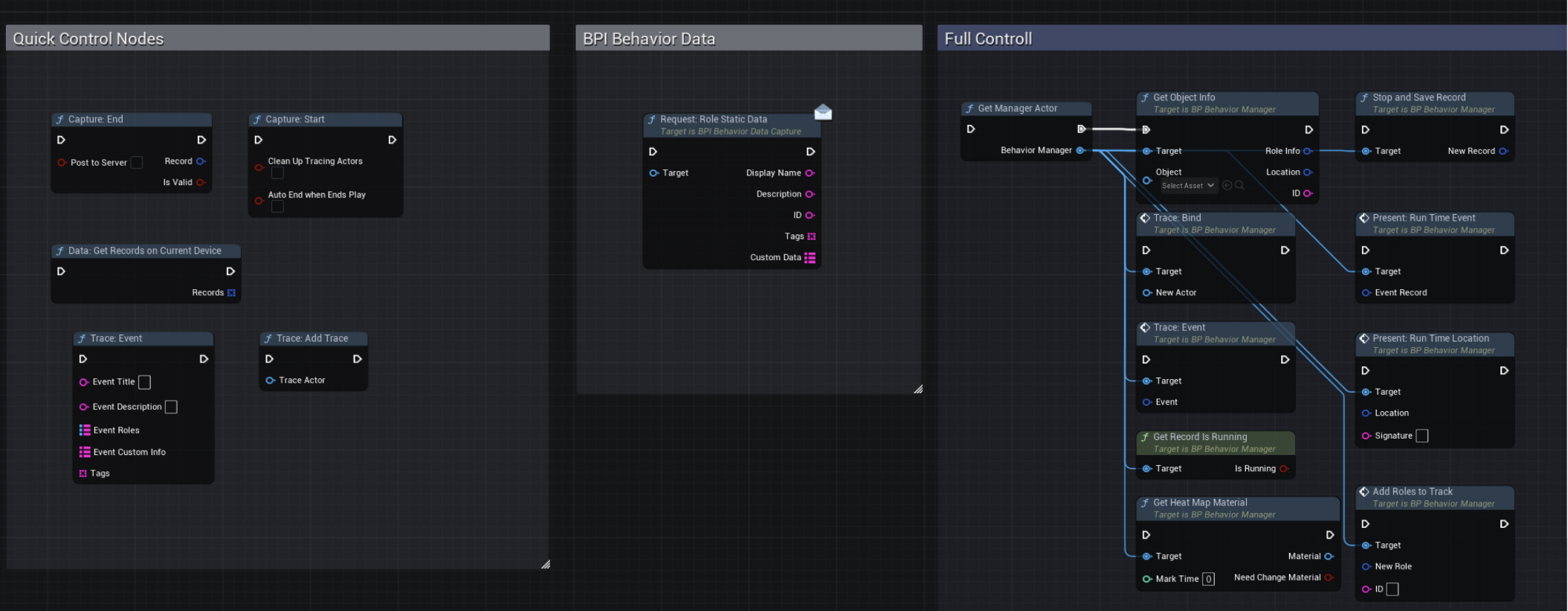
Trace: Event (Blueprint Node)
Trace: Event is the most important node in Event Instrumentation, because it's where you define what matters in your game.
Think of it as a structured log entry: every time something meaningful happens, you write one event with:
- What happened (Event Title)
- Who was involved (Participants / Event Roles)
...while the plugin records the basic system context (time, and location when available).
It turns your game-specific moments into data SimMind can analyze and turn into actionable issues.
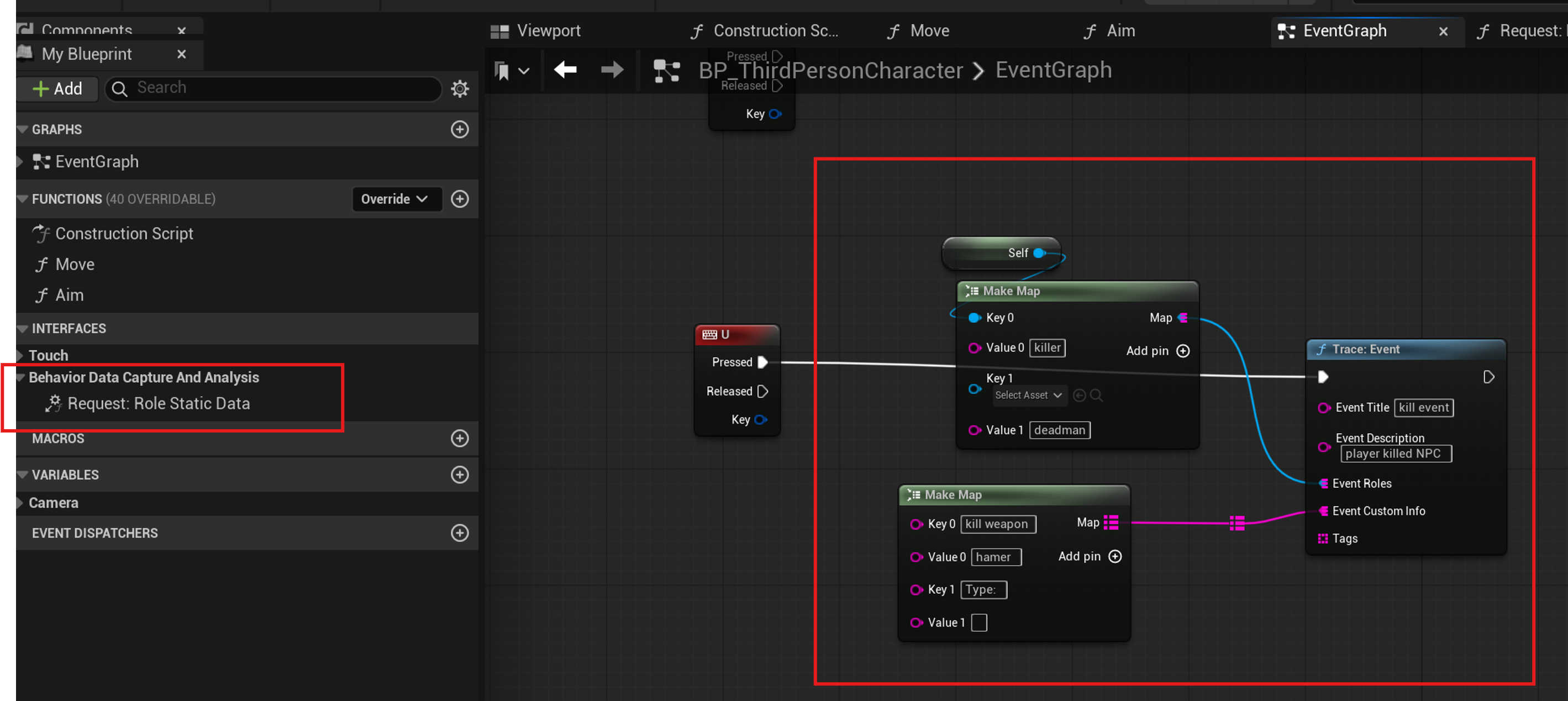
How to Use This Node
| Field | What to put here | Good examples |
|---|---|---|
| Event Title = "the log type" | Select from dropdown (View Event Catalog v0.1 below) | — |
| Participants (Event Roles) = "references to the actors" | Attach the Role IDs that explain the relationship in this event; Keep role keys consistent so you can query and compare events later | actor, victim, killer, hazard, target... |
| Payload (Event Custom Info) = "the fields you'll filter on" | Add only the few keys that help you debug or balance the game. Keep it small and consistent for the same event type | damage, weapon_id, hazard_type, checkpoint_id, hp... |
| Description (optional) | Use this only when the title + participants + payload still isn't obvious | — |
Quick Start: Minimum Instrumentation
To get useful analysis, SimMind needs three things:
- A recording (start + end a session)
- Who is involved (register key actors as Roles)
- What happened (log a small set of Events)
Once this works, you can add extra detail to make issues easier to reproduce.
What to Add (minimum)
Nodes:
- Get Manager Actor
- Capture: Start (start a recording)
- Add Roles To Track (register actors you care about)
- Trace: Event (log key gameplay moments)
- Capture: End (end the recording)
- (Optional) Stop and Save Record (save a local JSON file)
Node Glossary (Blueprint Nodes)
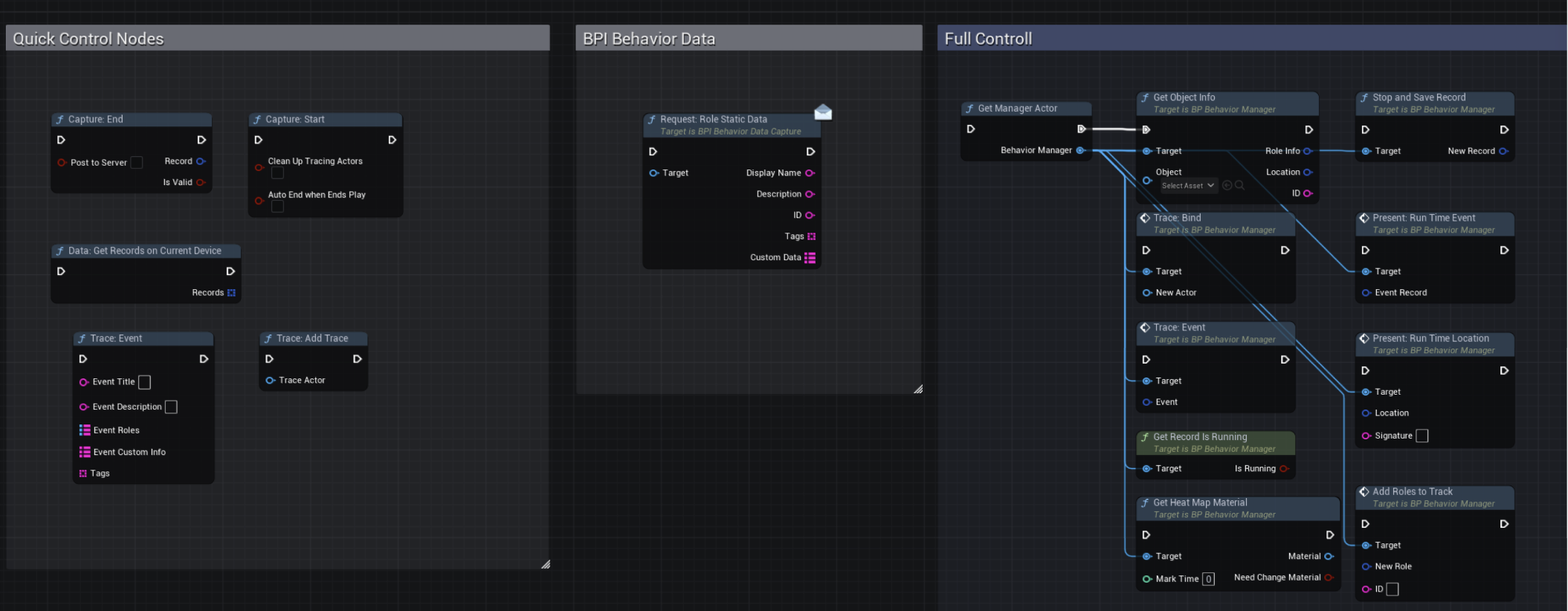
| Node | What it does |
|---|---|
| Get Manager Actor | Gets the Behavior Manager reference used by all SimMind nodes |
| Capture: Start | Starts a new recording session (Record) and begins buffering events/traces |
| Capture: End | Ends the current recording session and optionally uploads it |
| Get Record Is Running | Checks whether a recording session is currently active |
| Stop and Save Record | Writes the current record to a local JSON file (offline debugging) |
| Get Object Info | Extracts an actor's identity + current location for logging/tracking |
| Add Roles To Track | Registers an actor as a Role so events can reference it by ID |
| Request: Role Static Data (BPI) | Pulls static metadata (name/tags/custom fields) from an actor via BPI |
| Trace: Event | Appends one gameplay event (name + roles + payload) into the record |
| Trace: Add Trace (Quick) | Starts periodic location sampling for an actor (simple mode) |
| Trace: Bind (Full) | Starts tracking an actor's location with an explicit manager target (full control) |
| Trace: Destroy (Full) | Stops tracking an actor and closes its trace cleanly |
| Data: Get Records on Current Device | Lists record files saved locally on the current device |
| Present: Run Time Location | Draws a location marker/path in the scene for debugging (runtime overlay) |
| Present: Run Time Event | Draws an event marker in the scene for debugging (runtime overlay) |
| Get Heat Map Material | Returns the material instance used to render a heatmap overlay |