Welcome
Welcome to SimMind Docs!
What is SimMind
SimMind helps UE teams move faster from playtest feedback to the next build. It brings three things into one workflow:
- An expert-grade game dev Copilot for day-to-day gameplay, balance, and level design questions.
- Player feedback collected from your existing channels (Discord, Google Forms, Steam reviews, in-game surveys, etc.)
- Gameplay evidence (heatmaps / short replay windows) when you need proof and a reproducible case
You can start from a question, review player feedback, and generate an investigation plan that tells you what to instrument and what player behaviors to capture in the next build to answer it with evidence.
The Problem We're Solving
Playtests generate a lot of signals, but turning them into decisions is slow:
- Feedback is scattered across channels. Someone has to read, summarize, and decide what's real vs. noise.
- Player behavior is invisible without the right signals. Teams often have opinions ("players are confused", "the fight is too hard"), but without a focused capture plan it's hard to confirm what players actually did.
- "Where did this happen?" is hard to answer. Reproducing and locating issues in a level takes time.
- Fixes are risky. After you change something, it's hard to verify whether the experience improved or you introduced a new problem.
- Many issues look the same on the surface. A death spike might be intended difficulty, or an unintended loop / runback / clarity issue.
What You Get from SimMind
Structured Answers (Copilot)
Get actionable, structured responses for gameplay, balance, level design, bugs, and performance. Responses come with what to check next and what data would confirm it.
Player Feedback → Themes
SimMind groups feedback into themes, shows representative quotes, and suggests follow-up questions so you can validate what players mean.
Issues with Evidence (when you connect UE)
Attach heatmaps and short replay windows to an issue so the team can see where it clusters and what happened right before it.
Investigation Plan → Instrumentation Checklist
When you need proof, SimMind creates a small investigation plan that includes:
- What to verify (hypotheses)
- What events / signals to instrument
- A short capture checklist for the next build (what to log, where, and for which player segments)
Behavior Evidence (after you capture it)
Once those signals are captured, SimMind helps you inspect behavior evidence—heatmaps and short replay windows—so you can see where issues cluster and what happened right before them.
Where SimMind Fits in the Game Dev Cycle
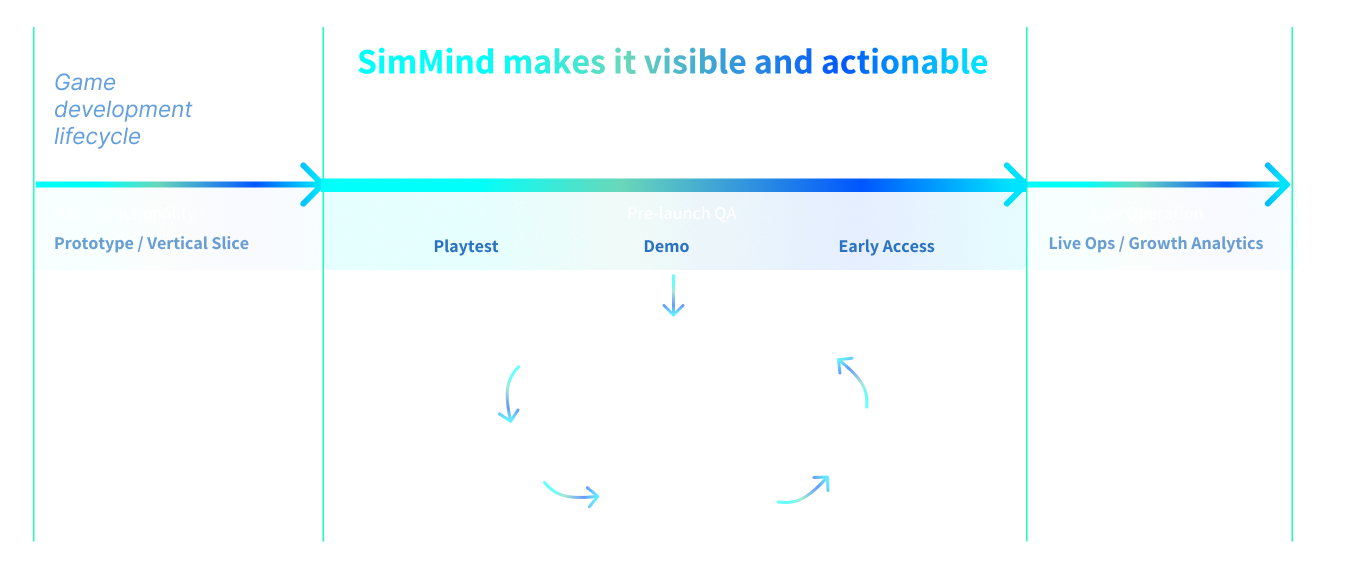
Every game hits the same wall mid-cycle: lots of playtest feedback, not enough clarity on what to fix next. SimMind helps teams turn that messy middle into a concrete next step.
Who This Is For
- Level / encounter designers
- Game developers iterating on a Demo / Playtest build
- Producers / design leads
- QA / playtest coordinators
How SimMind Works
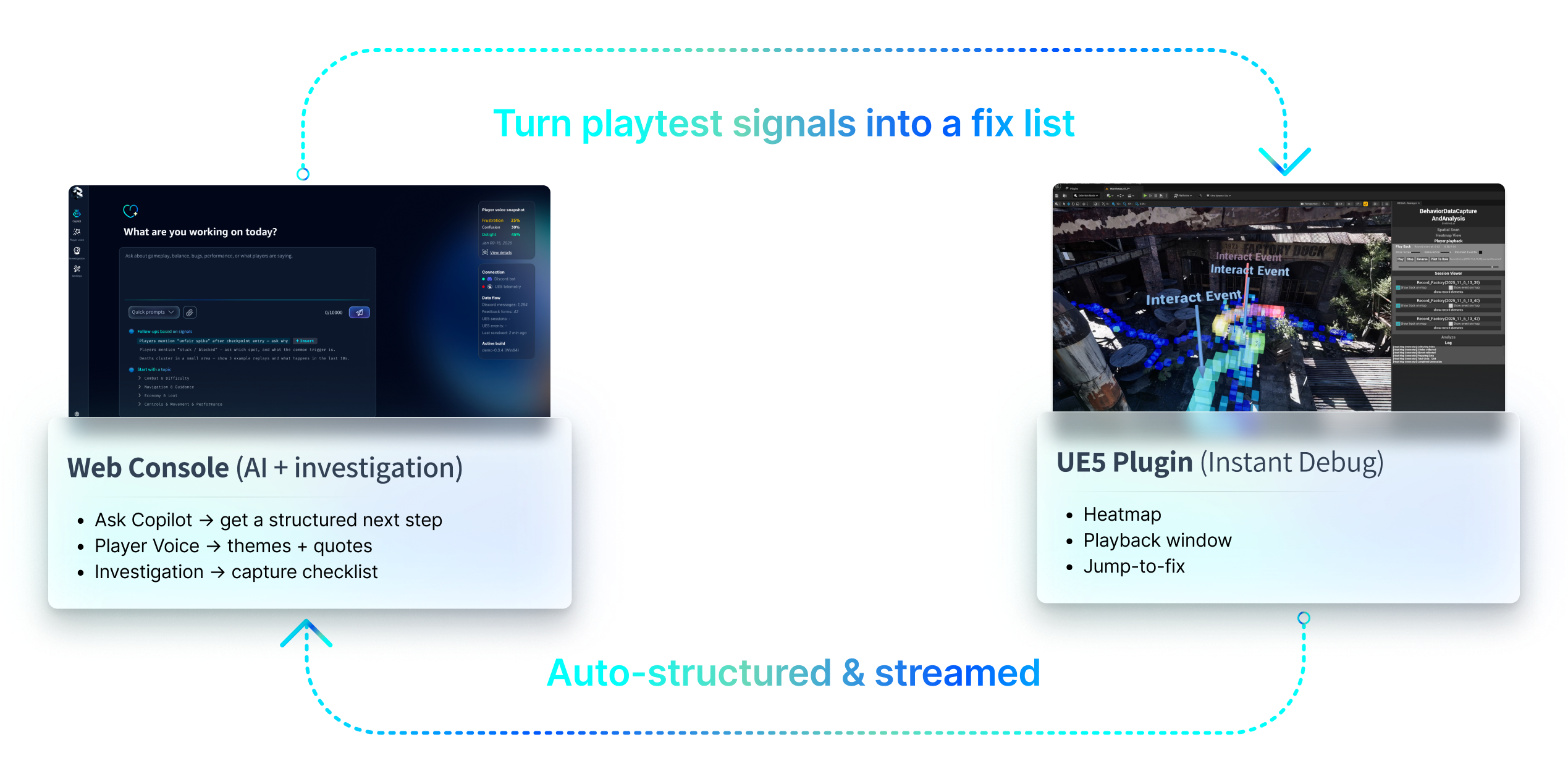
SimMind has two parts: a Web Console and a UE5 Plugin.
- Use the Web Console to turn playtest feedback into a fix queue and an investigation plan (including what to instrument next).
- Use the UE5 Plugin to capture gameplay signals with spatial context, inspect heatmaps / playback windows, and jump straight to the level and moment that needs work.
Together, they make the messy middle of iteration visible—so you spend less time debating and more time fixing.
Day 0 Setup (2–5 minutes)
You can start with no setup: ask Copilot a question.
When you're ready, connect your inputs:
- Feedback sources (optional): Discord, Google Forms, Steam reviews, Reddit, in-game surveys — to power themes and quotes
- UE5 plugin (optional): to attach heatmaps and replay windows as evidence tied to your build