Web Console
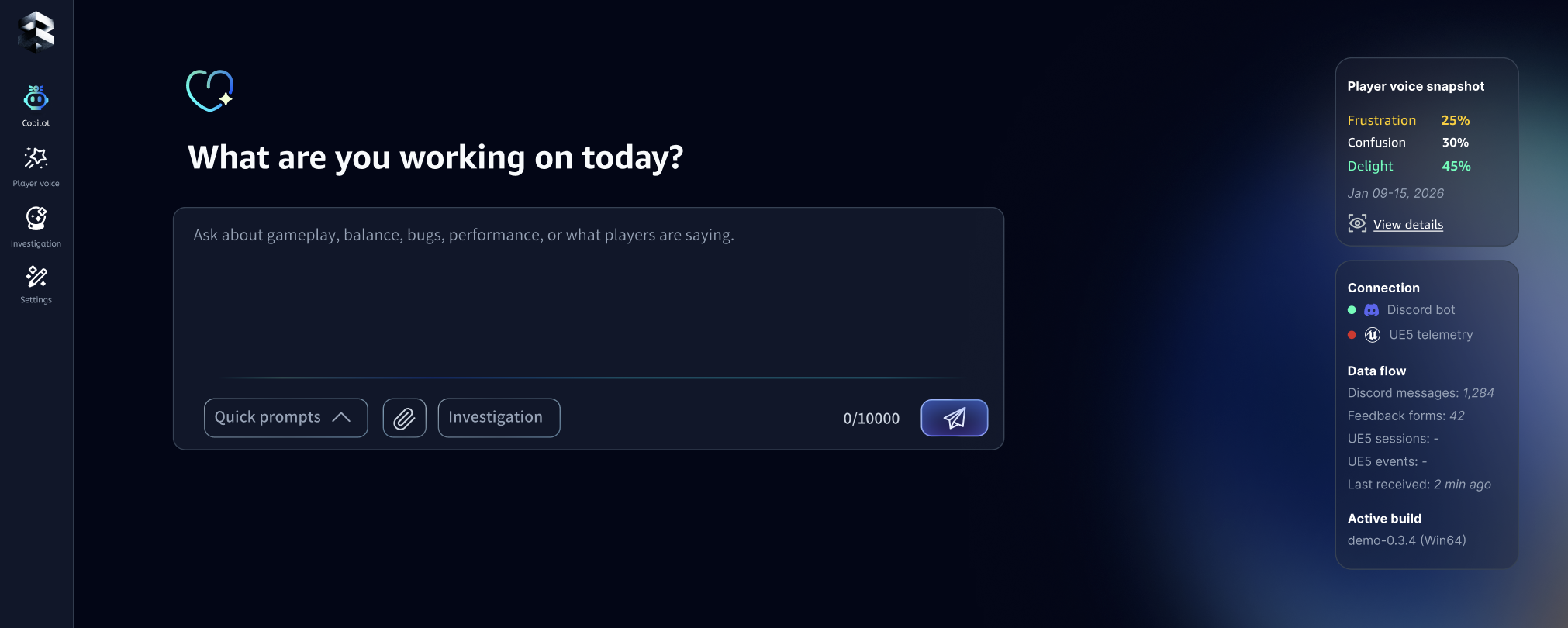
The Web Console is your game dev knowledge base + playtest inbox + investigation workspace. You can start with zero setup, then connect more inputs (feedback + UE signals) to make answers and investigations more specific to your game.
1) Chatbot (Ask anything about your game)
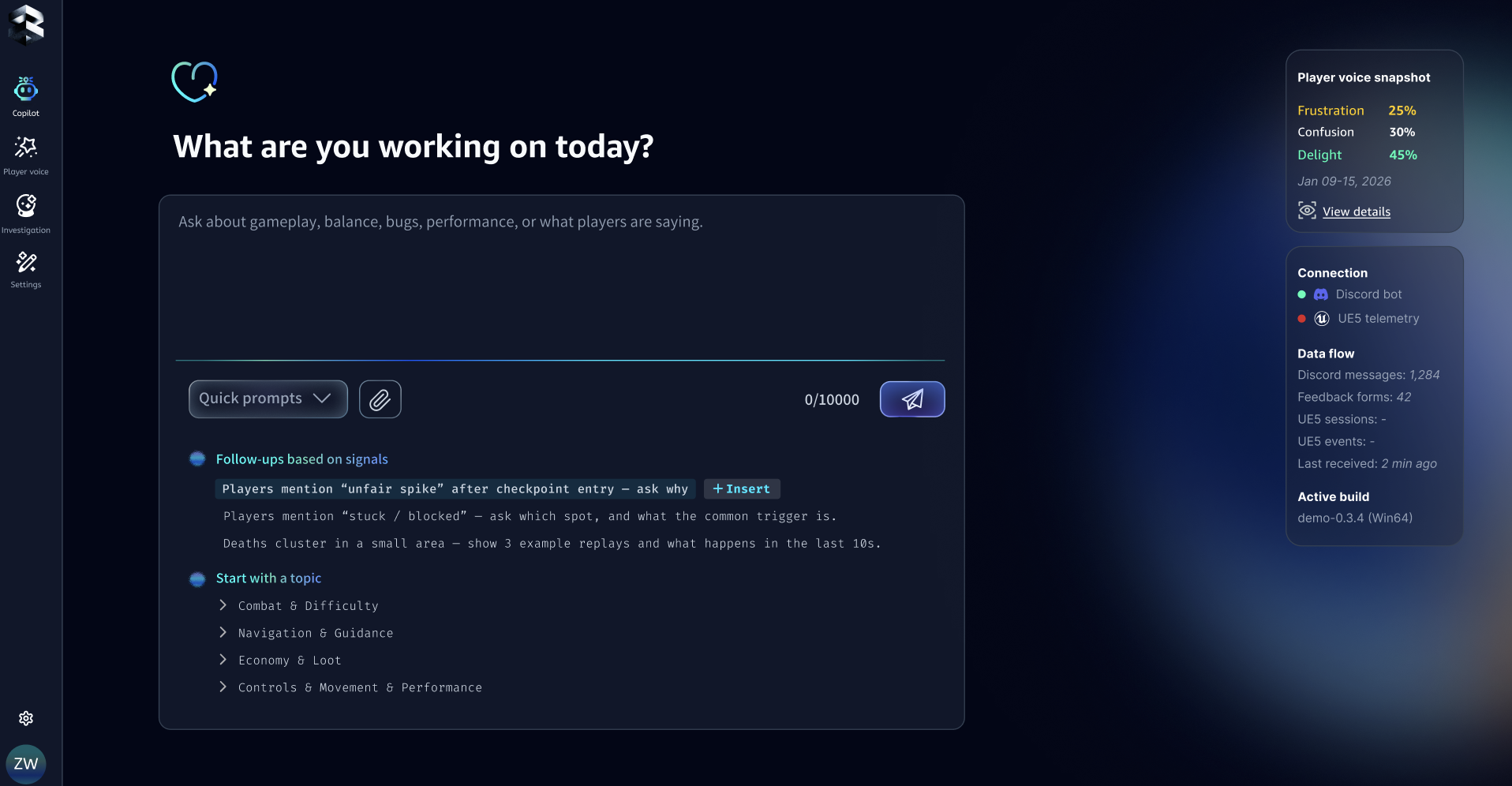
Chatbot is where you ask any game dev question—design, balance, level flow, bugs, performance, player behavior—and get a game-specific answer (not generic advice).
Why it's different
The more context you give SimMind, the more "locked-in" the answers become:
- Game vocabulary: your terms, mechanics, level/zone names
- Design intent: what "good" looks like in your game
- Player signals: what players actually did (when connected)
- Player feedback: what players said (when connected)
2) Player Voice (Make feedback usable in minutes)
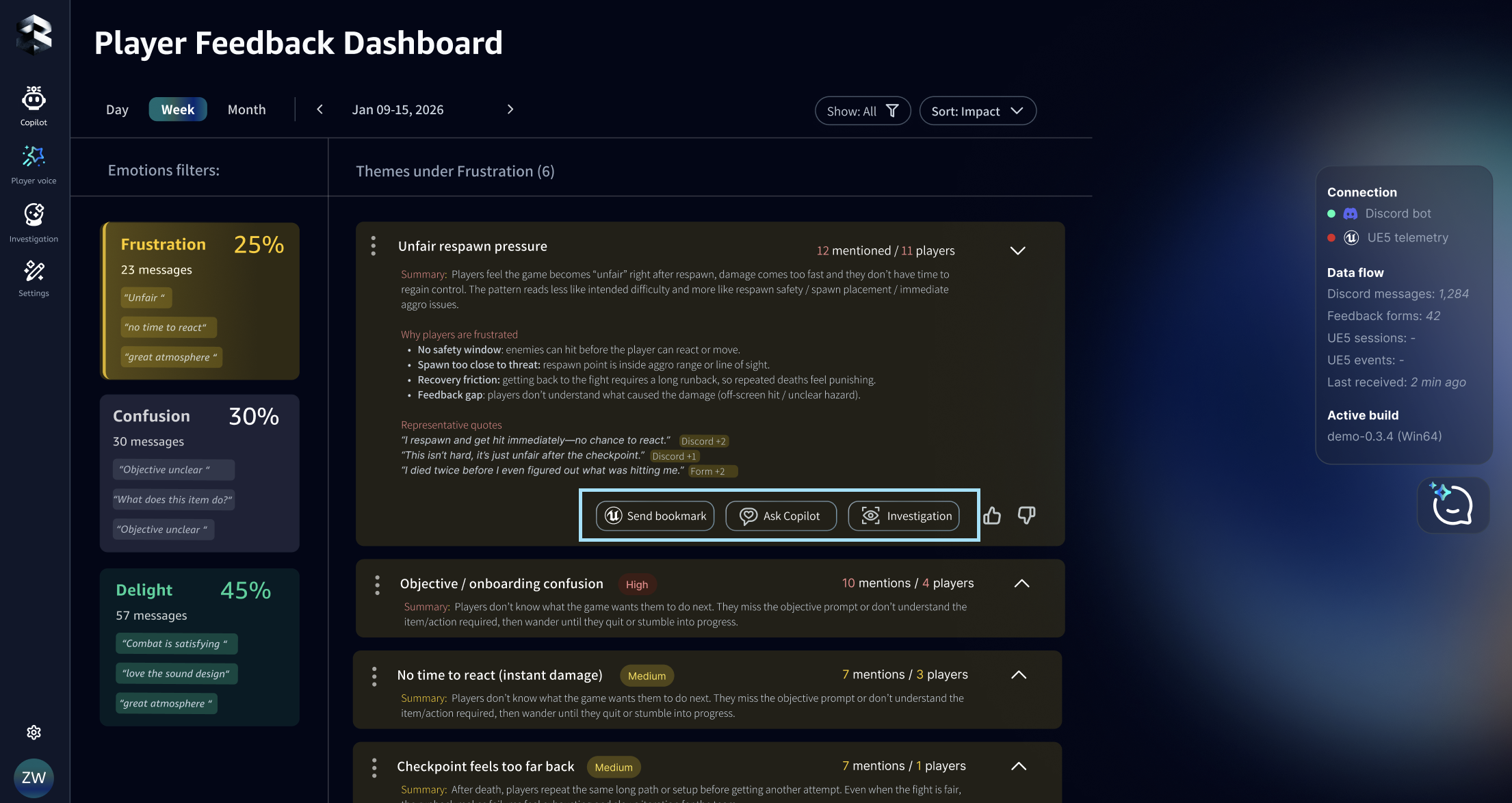
Player Voice turns scattered feedback into a readable summary you can act on:
- Recurring themes
- Representative quotes
- Suggested follow-up questions (what to ask players next)
Use this dashboard to triage feedback in minutes:
- Start from a sentiment lens (e.g., Frustration / Confusion / Delight) to see what players are feeling, then drill into the specific themes driving that sentiment. Understand where feedback clusters (e.g., a zone/checkpoint) when players mention a location.
- For each theme, you'll see volume and urgency so you can quickly prioritize what to address first. Open a theme to review representative quotes, then Ask Copilot or Start an Investigation to turn "players complained" into a concrete next step for your team.
Connect your feedback sources
You get the best results when your feedback is centralized in SimMind.
Connect any of these sources:
- Discord
- Google Forms / survey responses
- Reviews / community posts (where supported)
More details: Feedback Integration
3) Investigation (Find what's wrong and what to change)
When to use it
Use Investigation when you have a problem but you don't know:
- Where it happens
- Why it happens
- What to change
- What to capture next time to confirm the cause
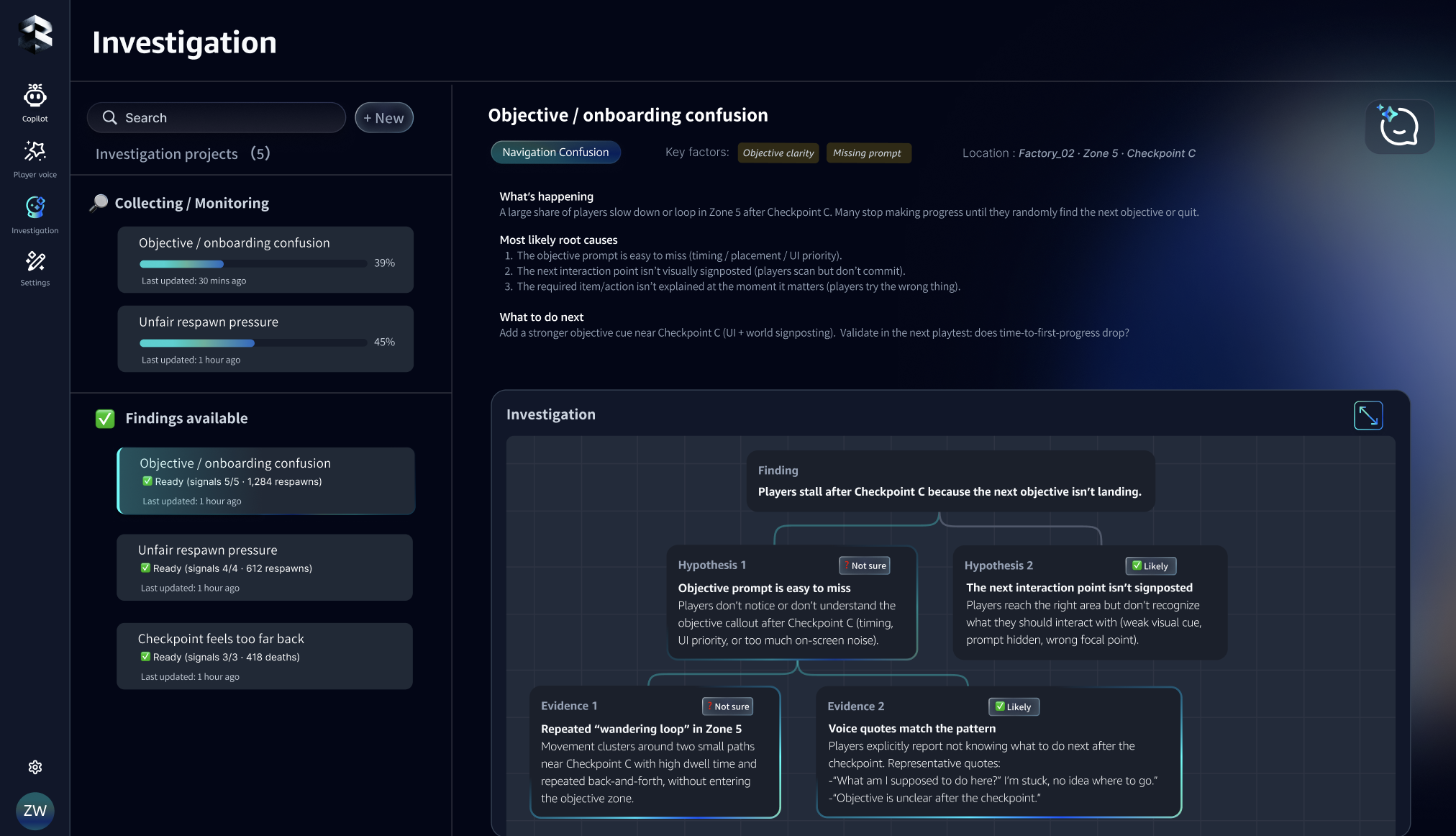
What Investigation produces
Investigation gives you a concrete path forward:
- A short list of hypotheses (what might be going on)
- What evidence is missing
- A capture plan for the next playtest: what to log / which signals to add
- Where to inspect in UE (heatmaps / playback focus), if UE is connected
Typical starting points
- Start from a Player Voice theme: "checkpoint feels unfair"
- Start from a Chatbot question: "why are players stuck here?"
- Start from a known issue: "death spike after entering zone B"
Human-in-the-loop: Why SimMind becomes more specific over time
SimMind is a continuous workspace, not a one-off report. As you add context and signals, it becomes more specific to your game—better wording, fewer wrong assumptions, and less back-and-forth during playtests.
What improves as you use it
- Chatbot answers become closer to your mechanics and terminology
- Player Voice themes become cleaner (less noise, better grouping)
- Investigations become shorter and more targeted (clearer capture plans)
What SimMind learns from
- Project context: glossary/terms, level & zone names, mechanics, design intent (optional but recommended)
- Player signals: UE sessions and key events (what happened in-game)
- Player feedback: themes and representative quotes from connected sources (what players said)
- Your feedback: thumbs up/down, label/type corrections, bookmarks, and notes
How the loop works

Over time you'll notice
- SimMind uses your terms and level names (less re-explaining)
- Investigations suggest the right signals to capture next (less "try logging more")
- Faster reproduction and clearer next steps from playtest to playtest